Output Processors
Output Processors modify the outgoing channel data — useful for things like
moving a prop after the .fseq has been saved to FPP, or adjusting brightness
when a controller does not support dimming. You can apply a processor to an
absolute start channel or to one of your Pixel Overlay Models. Open Input/Output
Setup → Output Processors.
Note
Output Processors are only available at the Advanced UI Level or higher. They apply to all content (sequences, effects, bridge data) and are evaluated in order.
The available processors are:
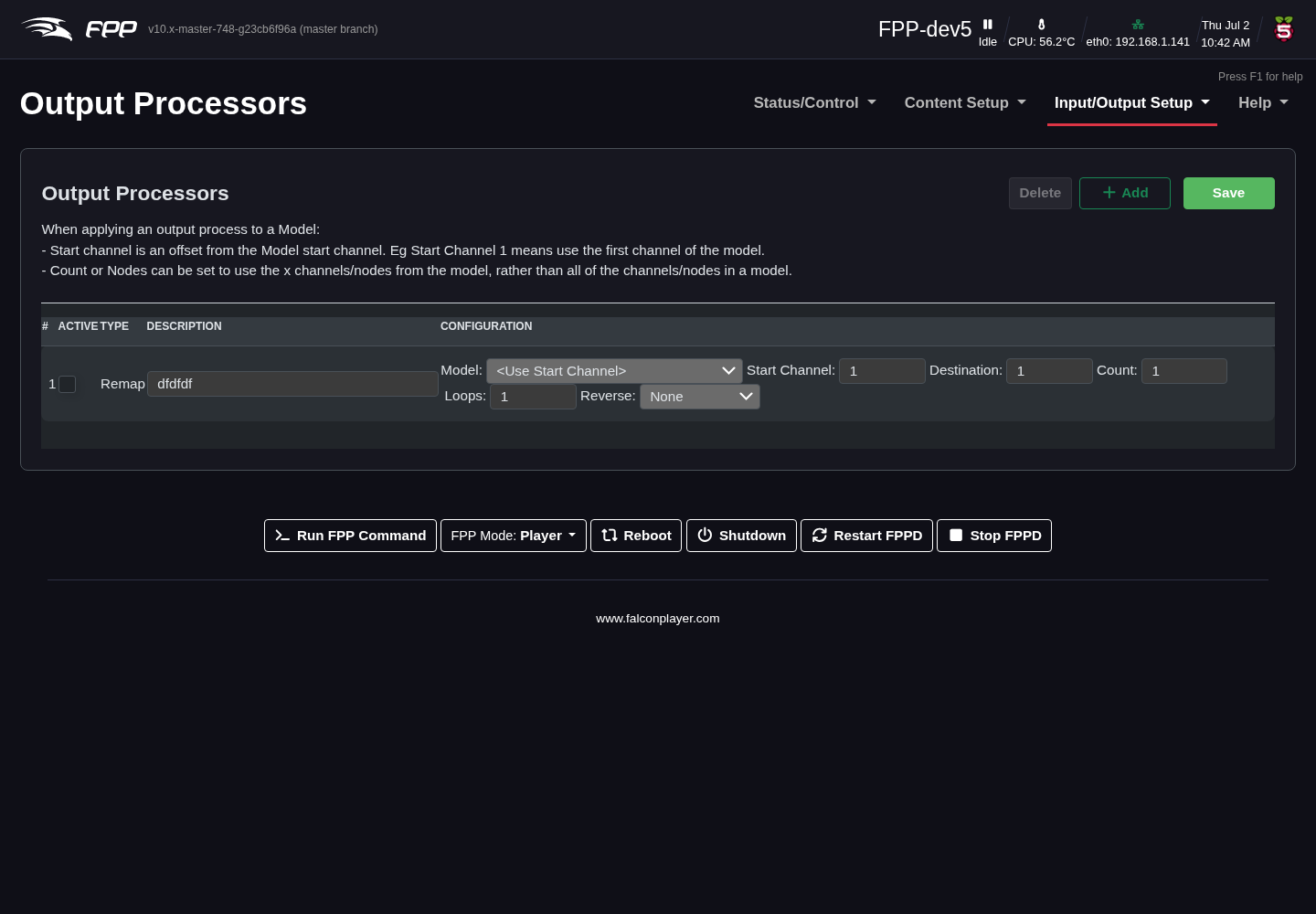
- Remap – copy or move a block of channels, e.g. when a prop is moved to a
different port, or a "dumb" string is replaced with a pixel string.
- Description – note the reason for the remap.
- Source Channel – the first channel to remap.
- Destination – the first channel to remap the data to.
- Count – the number of channels to remap.
- Loops – how many times to repeat the remap (e.g. to replace a dumb string with a pixel string, set Count to 3 and Loops to the number of pixels).
- Reverse – reverse the mapping (by channel or by pixel), e.g. when a prop is wired in reverse.
- Brightness – adjust brightness or gamma on a channel range (useful when the controller cannot).
- Hold Value – when a channel value is 0, output the last non‑zero value instead. Useful for servos or moving heads that you do not want returning to 0 between sequences.
- Set Value – set a fixed value for a channel range.
- Reorder Colors – change the colour order (e.g. when replacing part of a string with pixels of a different order).
- Clamp Value – set a maximum output value.
- Scale Value – scale values up or down (useful for servo control).
- Three to Four – convert 3‑channel RGB data to 4‑channel RGBW, for when your
sequencing is RGB but some strings are RGBW.
- Output Color Order – how the four output channels are ordered: RGBW or WRGB. Match your pixels.
- White Algorithm – how the white channel is derived: No White leaves it at zero; R=G=B->W lights white only where the RGB values are equal (so greys and whites use the white element, and colours are untouched); Advanced extracts the white component from every colour, which gives a cleaner result on pixels with a good white element.
- Override Zero – force any zero RGB values to a remapped value.
- Fold – similar to a zig‑zag.
Tip
Because processors apply to all content, they are ideal for display‑wide corrections such as a global brightness cap. Order matters — apply a colour‑order fix before a brightness limit, for example.